Project Brightwater
Type | Action Adventure Open World Team Project |
Roles | Gameplay Programmer Tools Programmer UI Programmer Audio Programmer Technical Artist |
Engine | Unreal Engine 5 |
Language | C++ Blueprints |
Tools | Rider FMOD Plastic SCM |
Project Brightwater is an unannounced open-world, story-driven adventure game with combat and puzzle elements, developed by Wasted Studios in Unreal Engine 5.
I worked on this project from its very beginning until I left Wasted Studios, contributing across both gameplay and engine-level development. Due to the size of the studio I had a hand in most aspects of the game, be it regular programming, UI and audio work, or technical art, but my core responsibilities ranged from technical design and evaluating the feasibility of gameplay concepts to implementing gameplay systems, improving development workflows, and resolving other technical challenges throughout production. These challenges not only including engine version upgrades as well as incorporating and extending third-party plugins, but also included resolving complex design and technical issues we ran into during development.
The project itself is built around Epic’s Gameplay Ability System (GAS), with a strong emphasis on creating scalable, data-driven gameplay architecture. My work included the implementation and maintenance of core gameplay systems such a data-driven combat and quest system, a save system that supports persistence for World Partitioning, as well as the development of editor extensions, visualization tools, and workflow improvements to support the wider team.
As the project has not yet been publicly announced, I can’t share too many details about its gameplay or technical implementation, and sadly also can’t show media depicting assets used in the game.
Combat System
The combat system was built around Unreal Engine’s Gameplay Ability System, with individual melee attacks and combat abilities (e.g., Dashing) implemented as Gameplay Abilities.
The player is able to perform both light and heavy attacks, with the ability to chain them together into combos (e.g., L → L → L or L → L → H).
This is not only supported by a number of custom Ability Tasks to handle heavy-attack inputs, combo tracking and attack timing,
but also by a set of dedicated Data Assets and Anim Notifies that allow designers to define attack properties, timings, and visual feedback in a data-driven manner.
Attacks can have multiple variants depending on player input and the current ability state. For example, an attack may result in a failed or mistimed variant when the player spams the input or does not meet the ability’s cost requirements, while precise timing can trigger a more effective variant (i.e., a “Perfect” combo). These variants can apply their own gameplay tags, animations, damage values, ability costs, follow-up combos, and similar parameters.
Hit detection can support several approaches depending on the type of attack.
Weapon-based attacks can use collision components or traces generated from predefined points on the weapon,
such as a capsule between the hilt and tip of a sword, or a set of points along the handle of a staff.
Attacks can also define arbitrary trace shapes directly through Anim Notifies,
allowing attacks such as a heavy weapon slam to generate a large area-of-effect trace independently of the weapon’s physical geometry.
 A simple light attack combo, followed by a heavy attack, with a few examples of trace variants (0.5x speed).
Save System
The save system was designed around allowing for a persistent world state, with particular consideration for Unreal Engine’s World Partition system. Whenever a word partition cell is loaded or unloaded, the contained actors automatically (re-)store their state, allowing the game to maintain a consistent world state across sessions and regardless of where the player is in the world. Basic UObjects (e.g., Subsystems) can register themselves with the persistence system to define how and when their state is stored and restored, while Actors can also use a dedicated Persistence Component to handle this automatically.
State is serialized using structured archives, with restoration generally taking place before BeginPlay (with the exception of SCS/UCS components). This avoids timing-dependent gameplay issues and removes the need for systems to constantly account for whether an object has already been restored or not.
Each persistent object is identified using its own persistent GUID property rather than names or level paths. This makes save data more resilient to changes made during development, particularly with World Partition where relatively small changes to an actor’s location can cause a move to another cell, changing their assigned level path and breaking existing saves. The GUID-based approach also allows replaced or recreated world actors to be manually associated with existing save data when necessary.
Since save-data will often change during development, the system additionally supports versioning of serialized data,
which was especially important to support existing save games once changes are made after the game’s release.
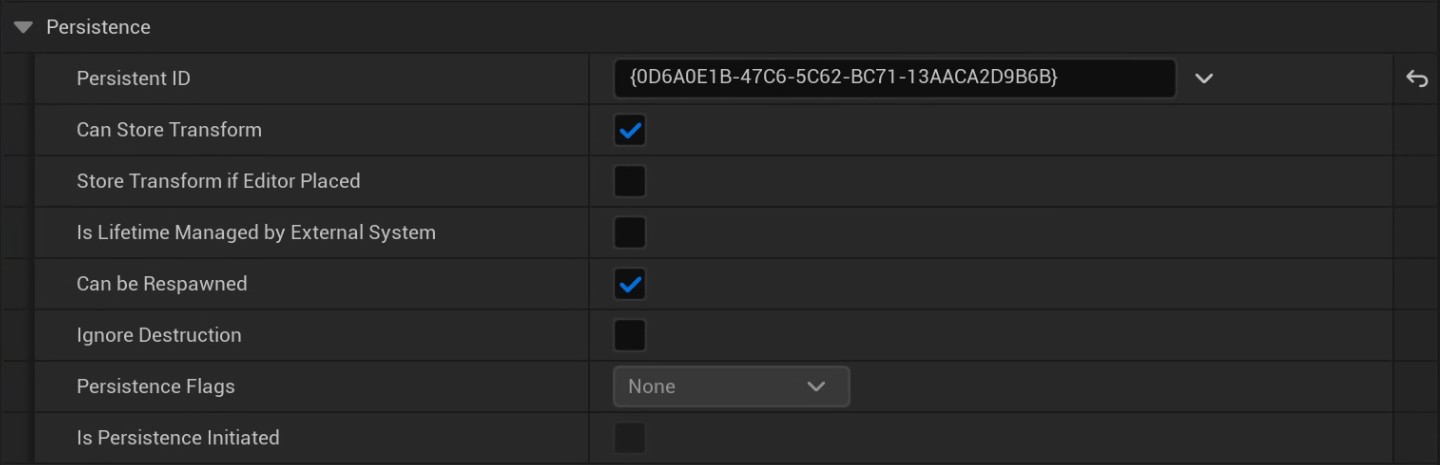 Detail panel view of the persistence component on an actor in the level.
Editor & Workflow Tools
A significant part of the work also involved extending Unreal Engine’s editor and debugging tools to make working with the project’s gameplay systems easier. This ranged from relatively small Gameplay Debugger integrations to custom Component Visualizers and Slate-based editor interfaces.
Component Visualizers were used for systems such as teleporters, spawners and spawn points, and audio trigger areas,
providing useful spatial and configuration information directly within the level editor.
I also built custom Slate visualizations for more complex data, such as displaying all available attack combinations contained within a combo Data Asset, or a custom Sequencer Track to play FMOD events.
The goal was generally to expose information that would otherwise require inspecting assets or running the game, making gameplay systems easier to understand, debug, and iterate on.
 Custom editor visualization for setting up the melee trace shapes and their location within the blueprint of a weapon.
Quest System
The quest system was built as an extension of the Flow Graph plugin, using its graph-based structure to define and execute quest logic. I extended the system to support conditional branching based on the current world state, player progression and other custom gameplay systems, allowing quests to react dynamically to player actions and changes in the game world.
Quest nodes are generally executed asynchonously and can directly interact with other gameplay systems, such as saving the game, triggering a dialogue, starting Level Sequences, or loading additional Level Instances.
The system can modify global game state as quests progress, allowing player actions and quest outcomes to have persistent effects on the wider game world.
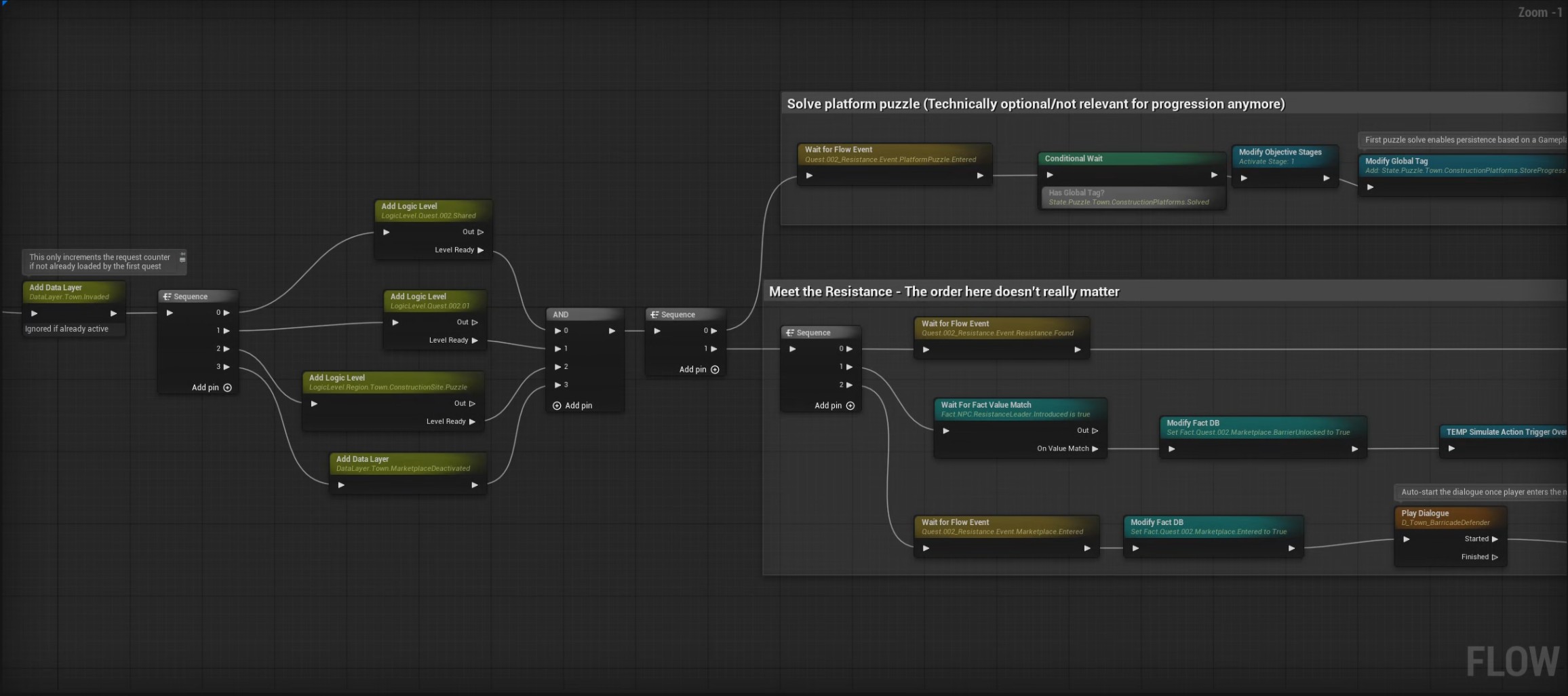 A section of the quest graph for one of the game’s quests.